
One Word Wrong? No More Regenerating the Whole Script: Meet the Karaoke-Style Proofread Player | Hey Subtitle
The most frustrating moment in text-to-speech: the whole script sounds natural, except for one word.
The content is fine. Only the pronunciation is off. Yet until now the only fix was to edit the word and regenerate the entire script, paying again for every minute of it.
That's why we built the Proofread Player. One wrong word now means regenerating just one phrase.
The longer the script, the more each redo costs.
You pay only for that phrase. Everything else stays as it was.
Follow along word by word, karaoke style
As the audio plays, the Proofread Player highlights each word in yellow, just like karaoke lyrics. You see and hear exactly which word goes wrong, with no more guessing which sentence it was.
Proofread in three steps
Step 1: Tap Proofread
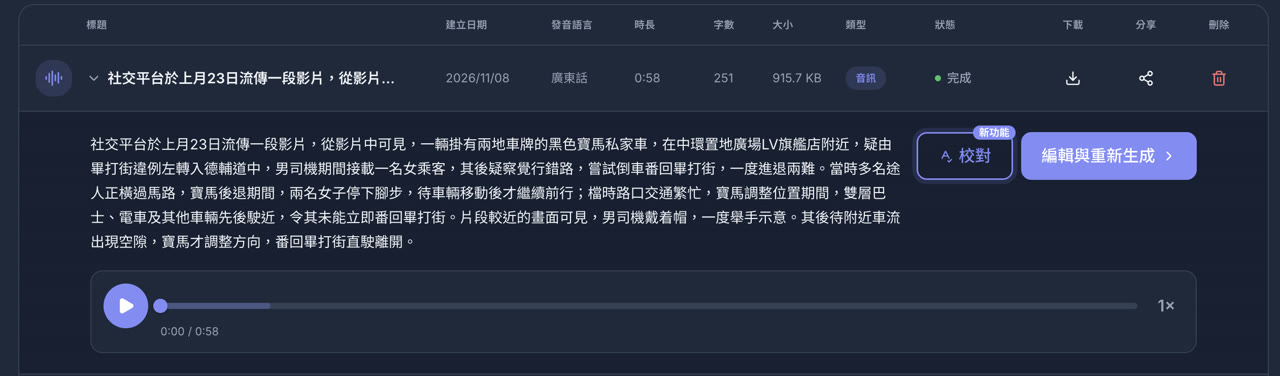
Expand a finished voiceover in your list, or finish generating on the text-to-speech page, then tap the Proofread button marked NEW.
Step 2: Play and tap the wrong word
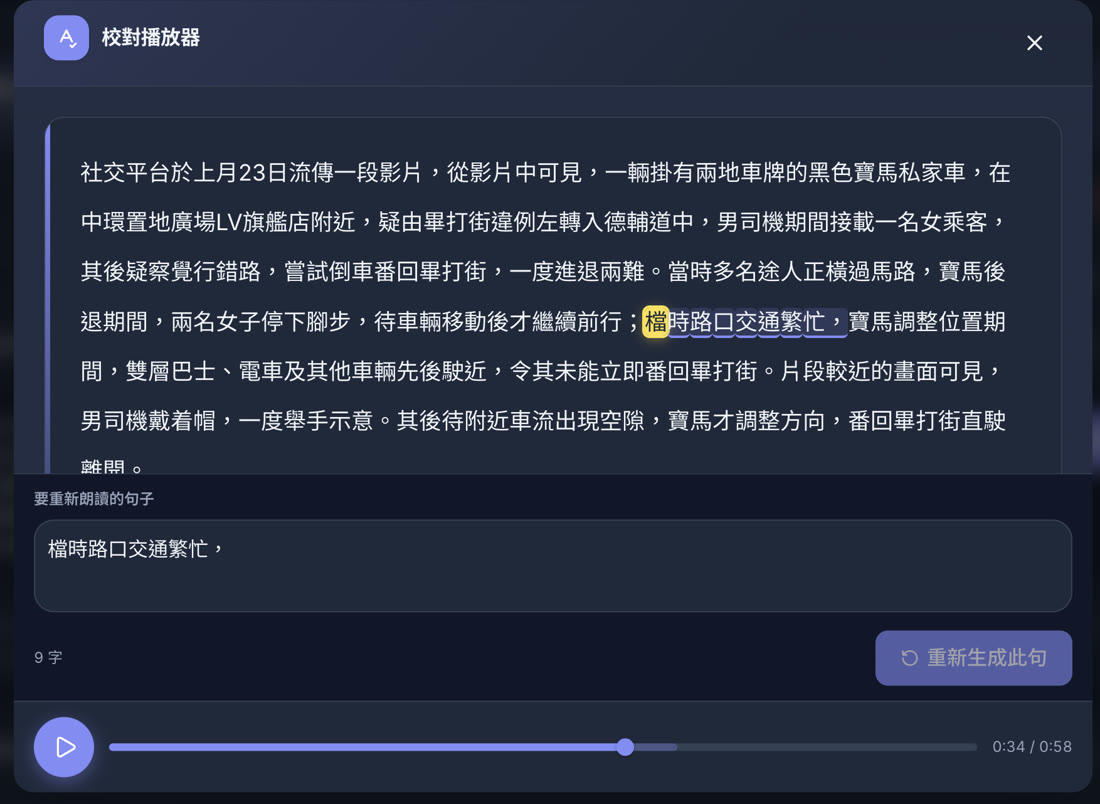
Press play and the yellow highlight follows the voice. When a word sounds wrong, tap it. The phrase it belongs to is selected automatically. Edit that phrase below, then press Regenerate phrase.
Step 3: Confirm and pay for that phrase only
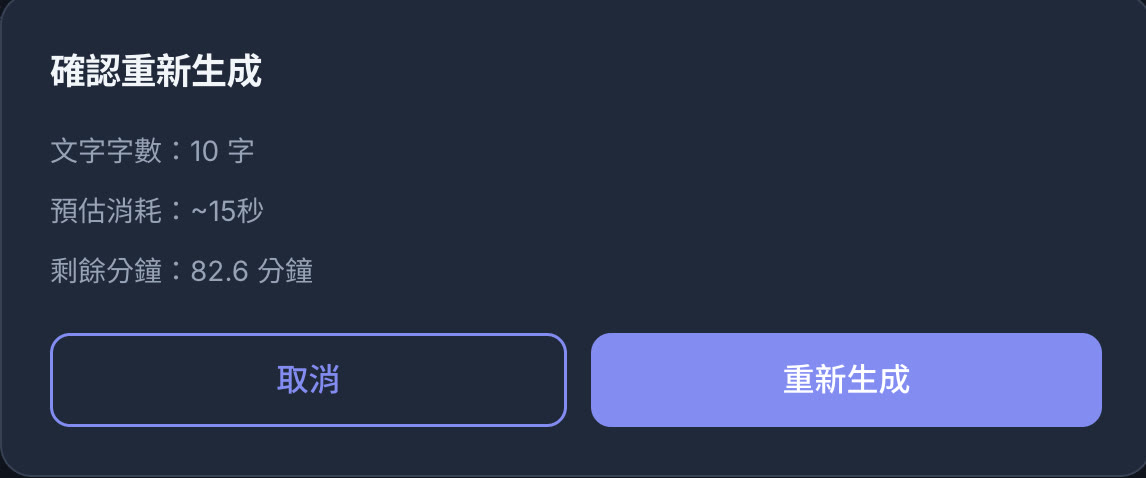
The confirmation shows the character count and estimated cost. Only that phrase is regenerated and stitched back into the original audio, then playback starts from that phrase so you can hear the fix right away.
How much do you save?
Take a 58-second news script. Fixing one word used to mean regenerating everything, about 1 minute. Now you regenerate one phrase for 15 seconds: about 75% less.
The longer the script, the bigger the saving. Fix one phrase in a 10-minute script and you save over 95%.
Good to know
- Proofreading works on newly generated voiceovers. Older ones have no word-level timing; regenerate the whole script once to enable it.
- You can only regenerate after changing the text. If the phrase matches the original, the button is disabled to prevent accidental charges.
- Everything else stays untouched. Surrounding audio, emotion tags, and pronunciation replacements are kept.
- Same word wrong everywhere? For names, brands, or words with multiple readings, use your pronunciation replacements list to fix the whole script at once.