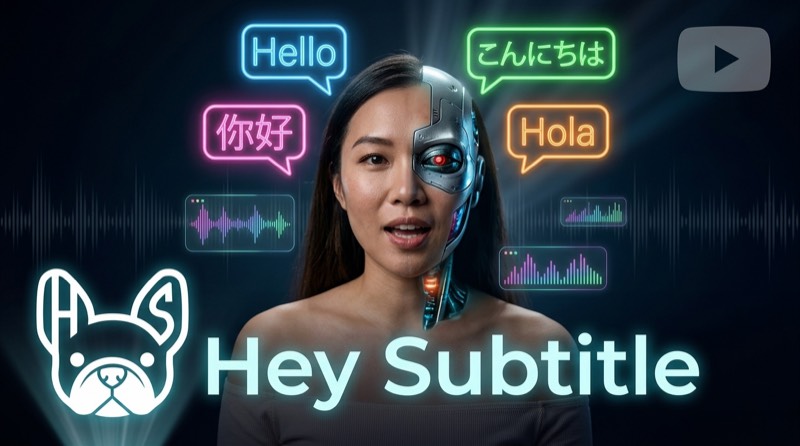
No Voice Actors Needed: AI Video Dubbing & Voice Over — Multi-Language Audio in Minutes
Why Your Videos Need Multi-Language Dubbing
Subtitles are the first step to reaching a global audience, but dubbing is the true immersive experience.
Studies show that dubbed videos achieve over 40% higher completion rates compared to subtitle-only videos. The reason is simple — reading subtitles divides the viewer's attention, while dubbing lets them focus entirely on the visuals, as if they were watching a native-language video.
For YouTubers, this means longer watch times, better algorithm recommendations, and more subscribers from different regions.
The problem? Traditional dubbing has always been prohibitively expensive.
How Much Does Traditional Dubbing Cost?
If you want a human voice actor to dub a 10-minute video, here are real market rates (sources: Voices.com, Voice123, industry surveys):
- Freelance voice actors (Fiverr / freelance platforms): HK$1,600-3,900 per language
- Professional voice actors: HK$3,900-11,700 per language
- Dubbing studios (translation + recording + lip sync + post-production): HK$7,800-23,400 per language
Want dubbing in 3 languages? That could easily exceed HK$23,000-70,000. And that doesn't include the time cost of back-and-forth communication, revisions, and waiting for delivery — professional dubbing typically takes 1-2 weeks from start to finish.
For independent creators, this simply isn't an option.
Most YouTubers just add subtitles and skip dubbing entirely. Or they give up on reaching multilingual audiences altogether.
AI Dubbing Changes the Game
Today's AI voice synthesis technology has matured to the point where it can generate natural, fluent multilingual dubbing. With Hey Subtitle:
- One-click generation — Select your target language, and AI automatically translates and generates dubbing in that language
- Natural intonation — Not robotic text-to-speech, but natural reading with tonal variation and expression
- Multi-language support — English, Mandarin, Japanese, Korean, Spanish, and many more
- Instant preview — Listen to the result right in the editor before downloading
- MP3 download — Export the audio file and upload it to YouTube or any platform
The most important part is cost: AI dubbing costs roughly 1/50th to 1/100th of traditional voice acting. Multi-language dubbing for a 10-minute video takes just a few minutes and minimal cost.
Cost Comparison: AI Dubbing vs Traditional Dubbing
For a 10-minute video dubbed into 3 languages:
- Freelance voice actors: HK$4,700-11,700 (3 languages)
- Professional voice actors: HK$11,700-35,100 (3 languages)
- Full-service dubbing studio: HK$23,400-70,200 (3 languages)
- AI dubbing (Hey Subtitle): Included in subscription plans, starting at HK$45/month
Savings: over 99%. And it's not just about money — you also save weeks of communication, scheduling, and re-recording time.
What Affects AI Dubbing Quality?
AI dubbing quality depends on three main factors:
- Audio clarity of the original video — This is the most critical factor. Less background noise and higher recording quality means the AI can more accurately recognize speech and produce better dubbing. Use an external microphone when possible, and avoid recording in noisy environments
- How clearly the speaker enunciates — The clearer the speaker's pronunciation and the more moderate their pace, the higher the AI's recognition accuracy. Mumbled speech, very fast talking, and heavy slang all reduce quality
- Target language selection — AI voice synthesis maturity varies by language. Major languages like English, Mandarin, and Japanese produce the best results; less common languages may have slightly less natural accents or intonation
In short: the cleaner your original audio and the clearer the speech, the better the AI dubbing will sound.
Step-by-Step Guide
Step 1: Upload Your Video and Complete Transcription
After logging into Hey Subtitle, upload your video (or paste a YouTube URL). Select the source language, and the system will automatically perform AI speech transcription.
Once transcription is complete, you can enter the editor to review the subtitles and make sure everything looks good.
Step 2: Add Target Language Translations
On the video list page, click the "Translate" button and select the languages you want dubbing for. For example, if your original video is in Cantonese, you might choose English and Mandarin.
AI will automatically translate the subtitle content. After translation, it's a good idea to quickly check the editor for proper nouns (channel names, personal names, etc.).
Step 3: Generate AI Dubbing
Next to the translated subtitle language, you'll see a "Dubbing" button. Click it, and AI will start generating the audio file in that language.
Generation is fast — a 10-minute video typically takes just 1-2 minutes. Once complete, you can play it directly in the editor, with dubbing synced to the video.
Step 4: Preview and Confirm
In the editor, you can hear both the original audio and the dubbing playing in dual-track mode. Once you're satisfied with the quality, download the MP3 audio file.
Step 5: Download the Dubbed MP3
Each language's dubbing can be downloaded as a separate MP3 file. The audio timeline is perfectly aligned with your original video, ready to use in any video editing software or platform.
Uploading to YouTube Multi-Language Audio Tracks
YouTube has a feature many people don't know about: multi-language audio tracks. It allows you to upload audio in different languages for the same video, and viewers can switch between them in the player.
How to Enable YouTube Multi-Language Audio
This is an advanced YouTube feature that isn't enabled for all channels by default. You need to:
- Have a certain number of subscribers and views (exact threshold not publicly disclosed by YouTube)
- Apply for advanced features in YouTube Studio
- Wait for YouTube's review and approval
Once enabled, your video settings page will show an "Audio" option where you can upload audio tracks in other languages.
Upload Steps
- Go to YouTube Studio and select your video
- Click "Subtitles" → "Add Language"
- Under that language, find the "Audio" option
- Upload the MP3 dubbing file downloaded from Hey Subtitle
- YouTube will take a few minutes to process the audio
- Once processing is complete, viewers can switch languages in the player
Repeat for each language. After uploading, viewers around the world can choose to listen to your video in their preferred language — not just reading subtitles, but actually hearing dubbing in their own language.
What Types of Videos Are Best for AI Dubbing?
- Tutorial videos — Step-by-step guides, software tutorials, knowledge sharing. Dubbing lets viewers watch demonstrations while listening to explanations
- Vlogs / Travel videos — Let viewers from other language backgrounds experience your travel stories
- Product introductions — Expand to international markets by making your content understandable to potential customers in different countries
- Educational content — Science, analysis, commentary. Dubbing removes the language barrier and expands your audience
- Corporate training videos — Create multi-language versions of training content for international teams
AI Dubbing vs Human Dubbing: When to Use Which?
- Independent creators on a budget
- Need to produce multilingual versions quickly
- High upload frequency (weekly or even daily)
- Content focused on information delivery (tutorials, news, educational)
- Brand image videos, TV commercials (large budget, highest quality requirements)
- Animation, drama (requires character acting and emotional performance)
- Formal corporate promotional videos
For most YouTubers and content creators, AI dubbing quality is more than sufficient for everyday use, and the cost and efficiency advantages are overwhelming.
Tips
- Use a good microphone and minimize background noise when recording — cleaner audio produces better AI dubbing
- Speak clearly at a moderate pace for the best dubbing results
- Major languages (English, Mandarin, Japanese) produce the best AI dubbing quality
- Start with a short video to learn the workflow before processing longer content
- YouTube's multi-language audio feature requires a separate application — plan ahead
- Dubbed MP3 files work on platforms beyond YouTube (Facebook, Instagram, your own website, etc.)
- The free plan includes access to the AI dubbing feature
Try It Now
No need to spend thousands on voice actors or learn complex audio software. With Hey Subtitle's AI dubbing, your video can speak multiple languages in just a few minutes.